
To check your invoice, go to dashboard.v2cloud.com and login with your administrator credentials.
On the left, go to the “invoices” section. If you don’t see it, reach out to your administrator or supervisor as you may lack the permissions to do so. 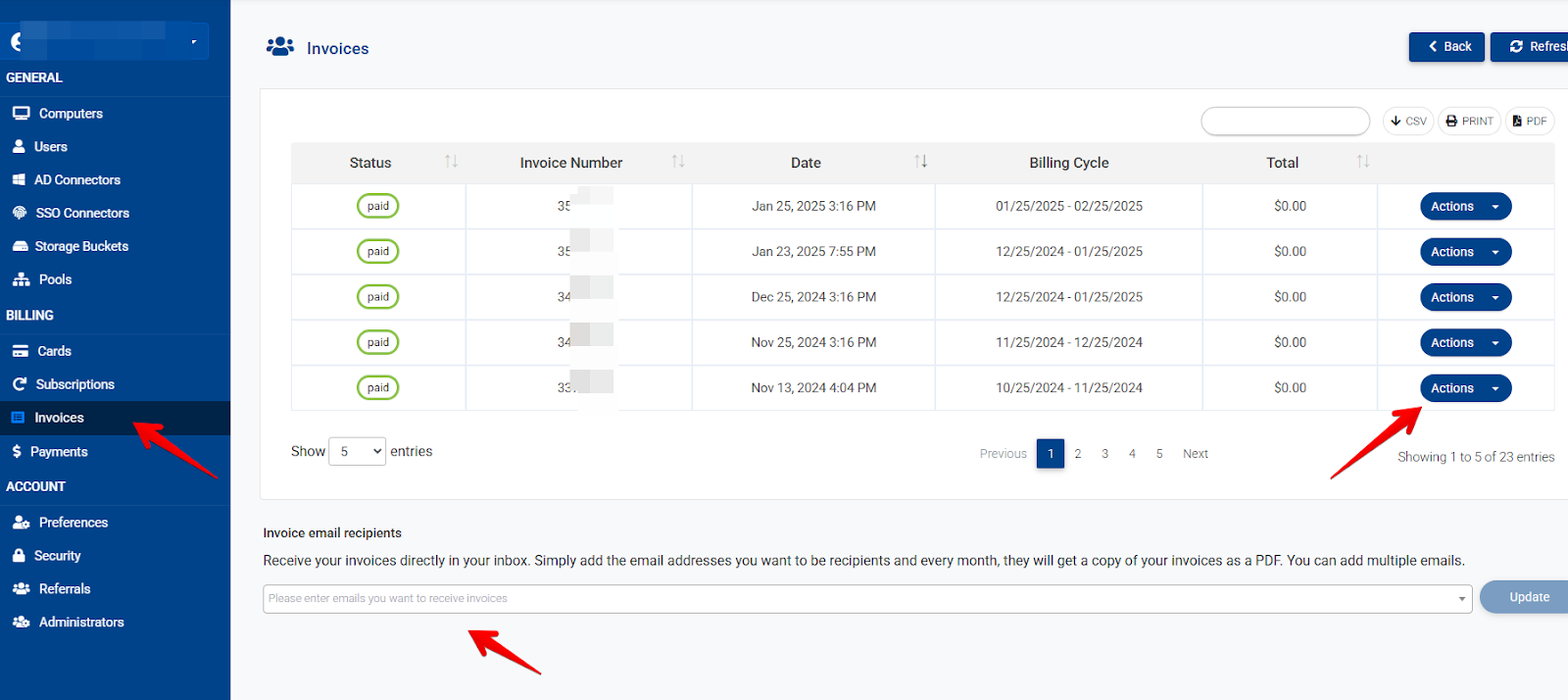
Here you can check the Invoice status, date, billing cycle, and total amount you pay monthly. Clicking on Actions will allow you to view the invoice breakdown to see in detail how you are paying for every item and download it.
At the bottom of this menu, you can add an email address to receive your invoices automatically every month. You can add multiple emails by pressing the “enter” key after each one.
For failed payments, kindly check with your bank or a different credit card.
For pricing information, check the following link For billing questions please refer to billing@v2cloud.com
keywords: paying, invoice breakdown, unpaid, billing, too much, expensive, invoices, payment status, credit card.
Related to