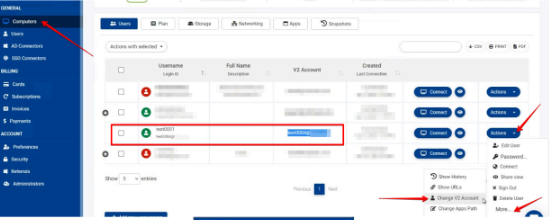
Choose the desired Cloud computer under the Computers tab.
Under the user that you want to change the email click:
Action > More > Change V2 Account
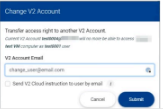
Under the "Change v2 Account" window enter the new email address and click Submit, as
shown in the picture below: