In this tutorial, you will learn how to share your remote desktop screen. You need to be connected in a web browser (Web Connect). You cannot share your screen when connected via RDP or the V2 Cloud app.
Step 1
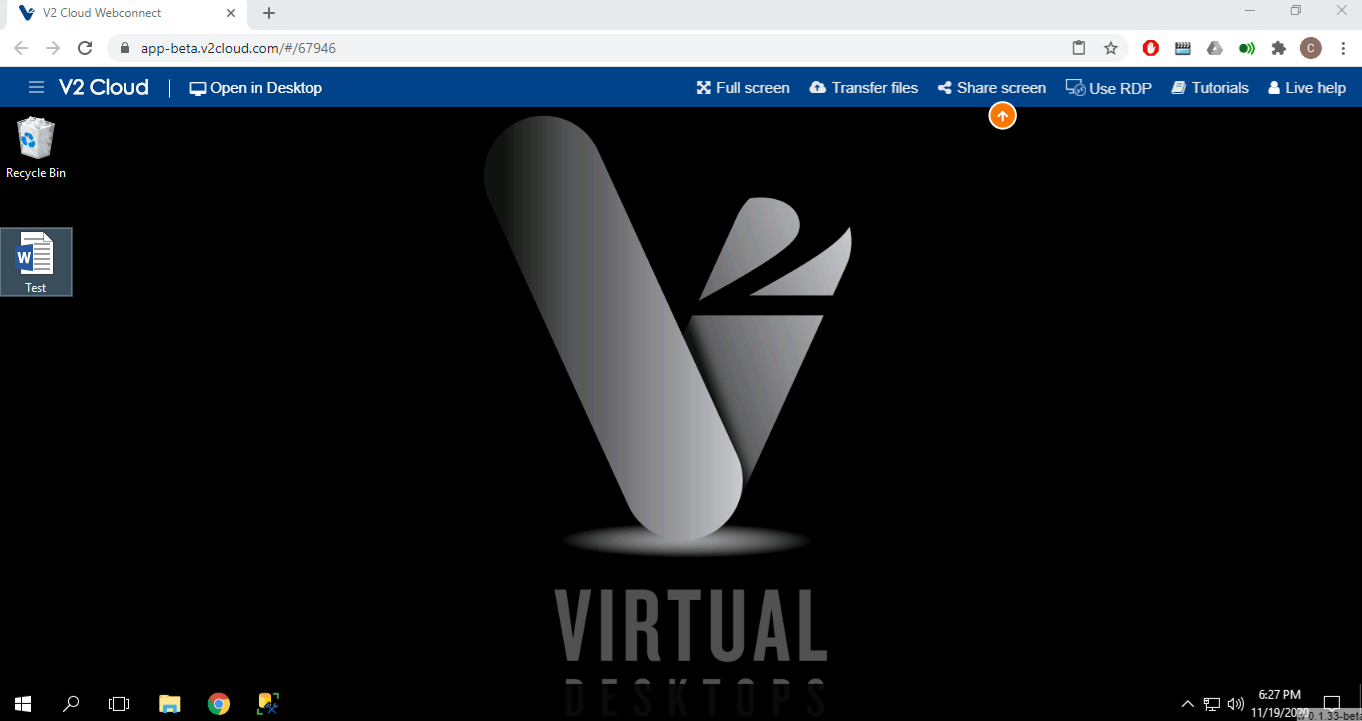
Click on Share screen.
Step 2
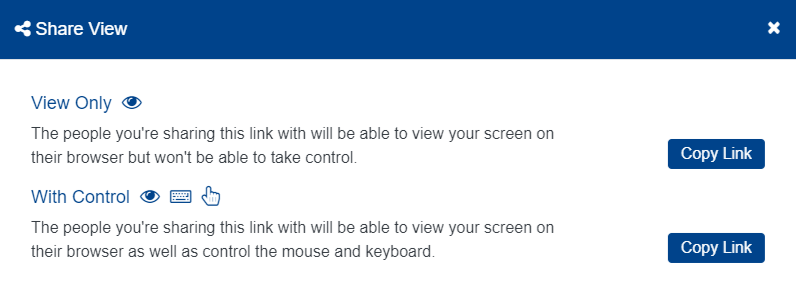
Select View Only or With Control and the link will copy to your clipboard. You can now paste it with CTRL+V or right click and select paste to share it.