
Connect to the affected user to confirm the issue is related to the VM, if you do not experience
the issue it is a local issue related to the user’s own hardware. Also connect to other users on
the VM to verify if it is for all users or just the one user.
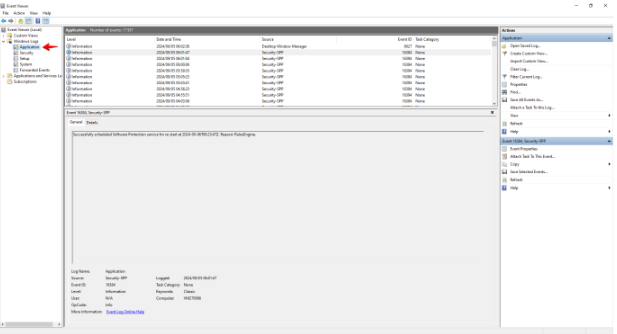
Look in Event Viewer under Windows Logs > Applications for any errors related to a recently
installed application. If you are unable to view these logs you will need to contact your
administrator to assist you.
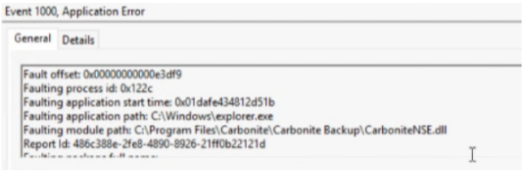
If you see an error similar to the one below it is most likely that this is the application causing the
issue. Uninstall the application and sign out and back in as the user facing the issue to see if
this has resolved it, if not uninstall any other application that was installed just before this issue
started.
If that does not solve the issue please contact V2 Cloud Support for further assistance.