If you have administrator permissions, you can reboot your computer directly from the dashboard. You can either reboot it immediately or schedule the task to run at a later time.
If you don’t have administrator permissions, kindly reach out to your administrator or supervisor.
To do so, visit dashboard.v2cloud.com and log in with your administrator credentials.
Go to the "computers" section on the left, you’ll see your cloud computers in the middle of the screen. Click on "actions" next to the cloud computer you want to reboot.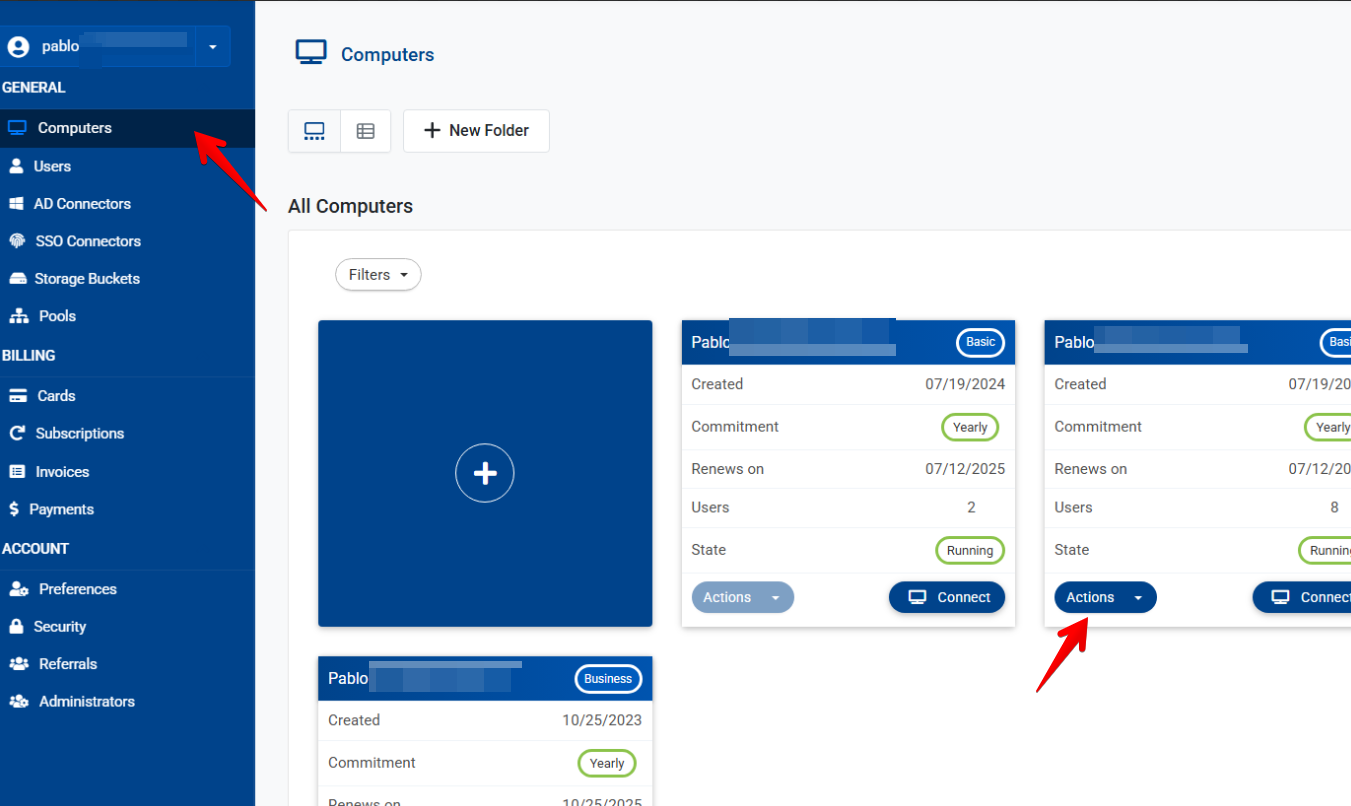
You will have the option to reboot immediately or schedule it for later. If the cloud computer is unresponsive, please contact our support team at support@v2cloud.com for assistance before pushing a reboot.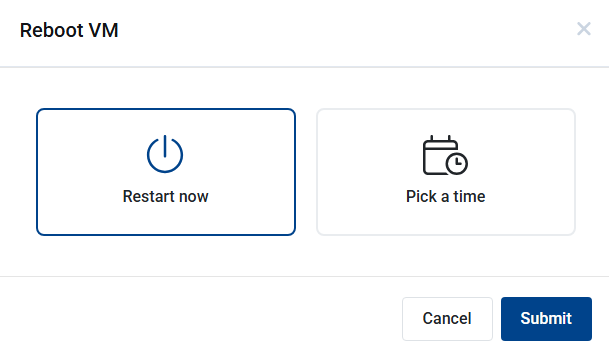
Selecting "Restart Now" will immediately send the reboot, closing all active sessions for all users. The reboot may take anywhere from 3 to 10 minutes. If there are any pending Windows updates, they will be applied after the reboot, which could extend the waiting time.
We strongly recommend rebooting the cloud computer at least once a week.
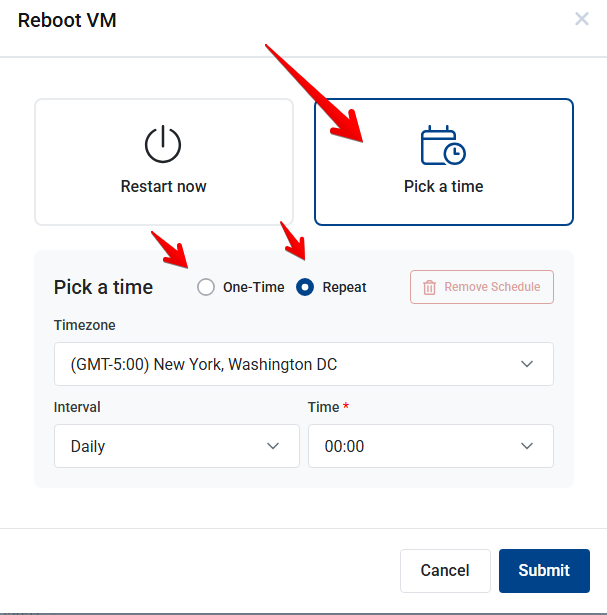
To schedule a one-time reboot or set up a recurring task every X days, choose the "Pick a Time" option. Be sure to verify the timezone to ensure it matches the one required for your computer.