
- If you receive this error and want to change the display language
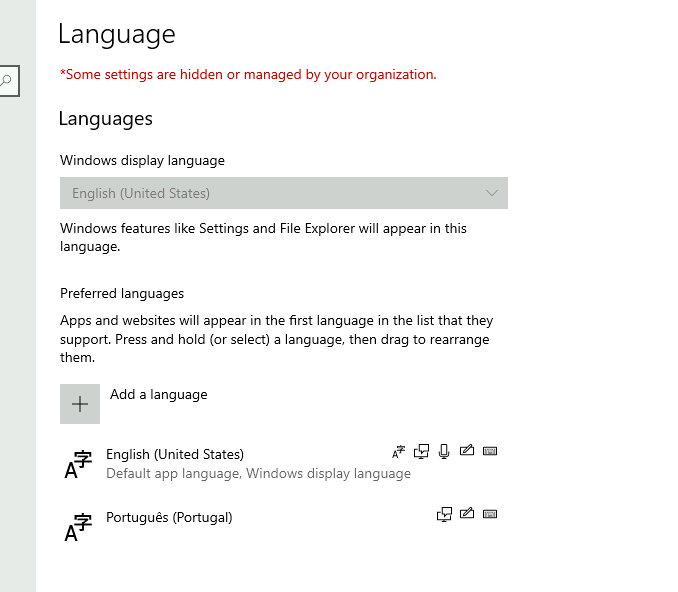
- You will need to be an administrator.
- Select run and type gpedit.msc, then go to Computer Configuration > Administrative Templates > Control Panel > Regional and Language Options and make sure this setting is not configured:
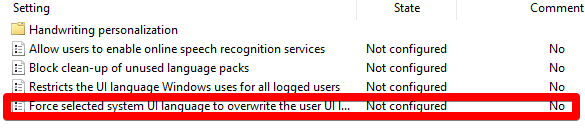
- After that has been completed, open CMD and type gpupdate /force , this will force a gpupdate for all users, they will then be able to select a language.
Tags: Language settings, language settings blocked, blocked language, change language, change display language