You can check your current IP address Type in your administrator dashboard. Connect through dashboard.v2cloud.com with your administrator credentials. If you don’t have these permissions, reach out to your administrator directly.
Locate the “computers” section at the left and click on “actions” on the cloud computer you want to check the IP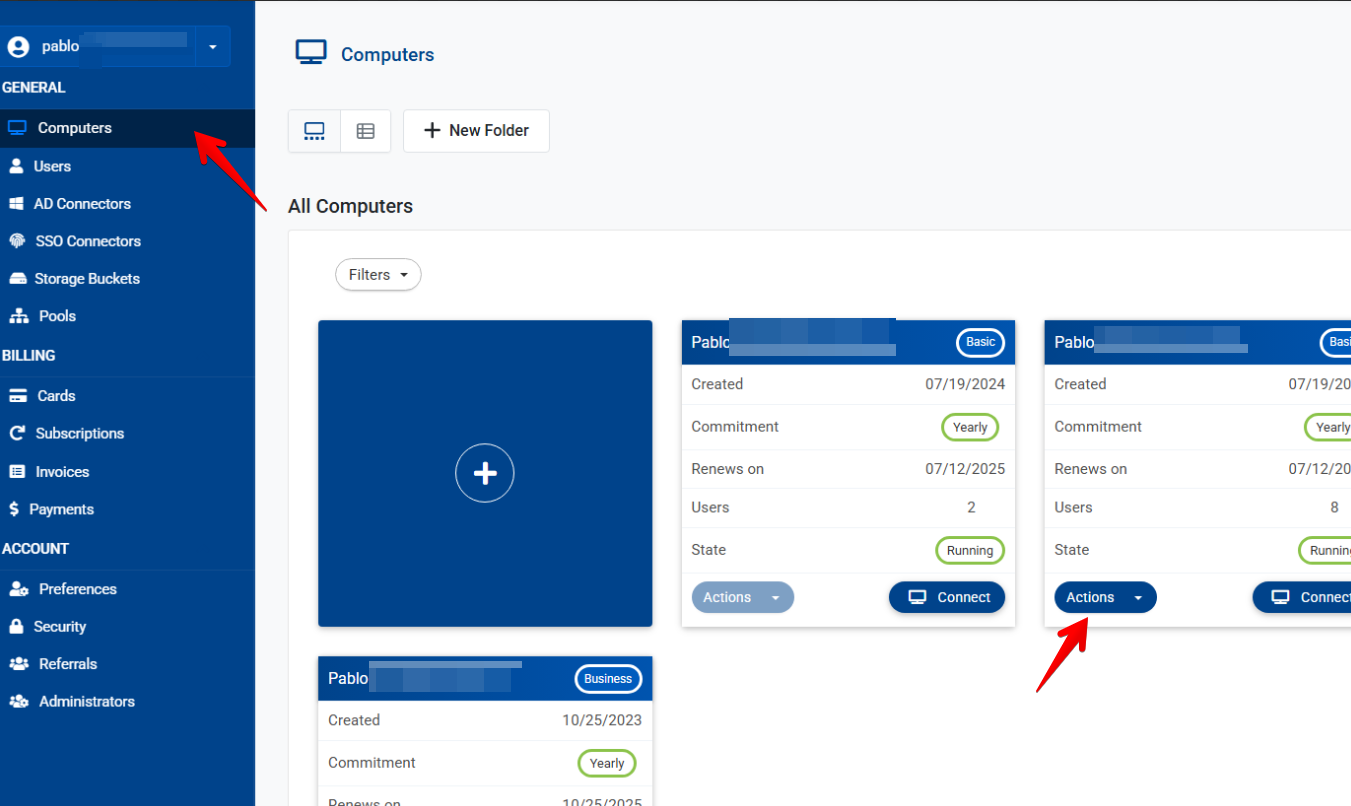
In the next window, locate the option “Networking” Here’s you’ll be able to check if you have Private(NAT) or Dedicated IP.
Dedicated IP’s are public and will stick to your cloud computer. They are directly exposed to the internet. The public IP information will show at the top right, under “address” 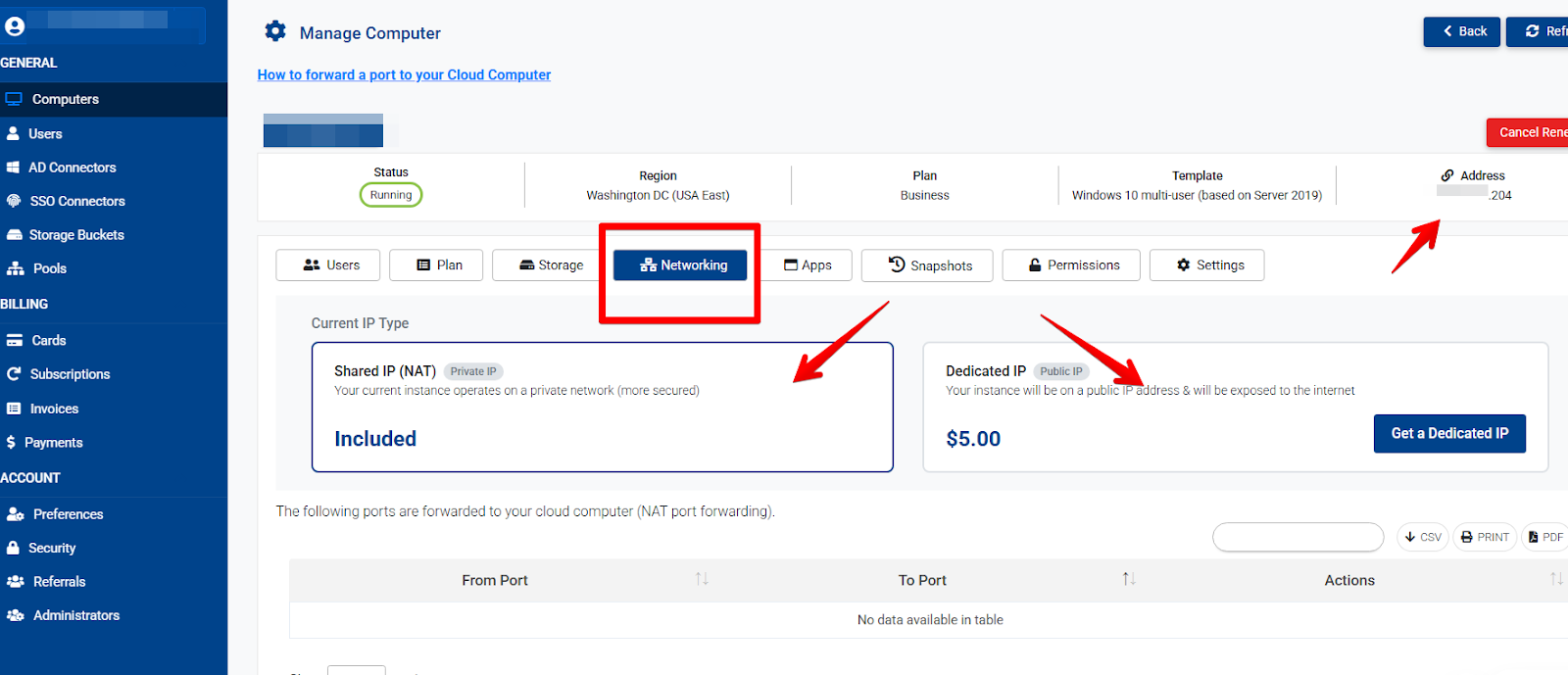
Nated IPs won’t show here. Only a DNS address will show “VMxxxx.v2cloud.com” These are shared IPs that may change over time. If you need to know your nated/shared IP address you can check it in https://whatismyipaddress.com/ (from your cloud computer)
If you need to lock your computer to the same NATed IP, kindly reach out to support@v2cloud.com with your request.
If you need to change your IP type, you can do so on this same menu. If there’s one available, the change takes around 15 minutes. If there’s none, a request will be created and the support team will assign you one at your requested time.
In cases where there's none immediately available we may need to move your cloud computer to another location within the same region. You can schedule this 24/7 with the support team at support@v2cloud.com
related: ip, IP, my ip
English
