
How to use Multimonitor / Dual Screen
You will need to use the V2 Cloud Desktop application to use Multimonitor.
1. Open the V2 Cloud App using RDP
2. Go to Settings
3. Check the option “Use Multimonitor” and “Use Multimonitor Selection (Beta)”
For the latter option you can choose the monitor you’d like to use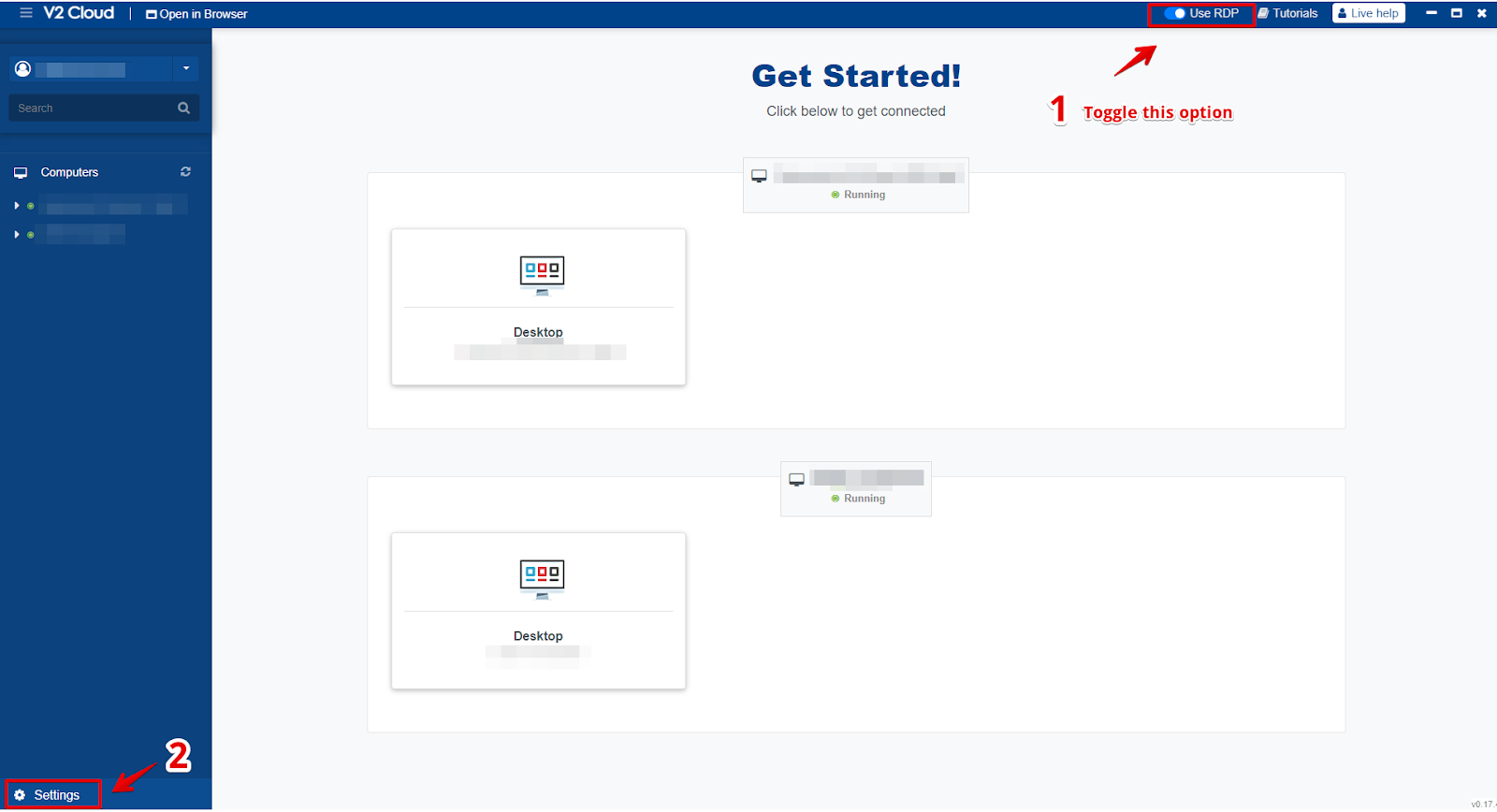

If you use a docking station it might cause an issue with Microsoft RDP, try and plug the screens directly into the PC/Desktop and then try to use multi-monitor.
Please note Multi-monitor in Beta directly from Microsoft, as they are currently trialing multi-monitor with RDP connection.