
In this tutorial, you will learn how to forward a port from the V2 Cloud dashboard. This tutorial only applies to Cloud PC’s that were built with a Private IP address. If you built the computer with a Public IP address, all ports are open by default and port forwarding is not possible or required.
STEP 1
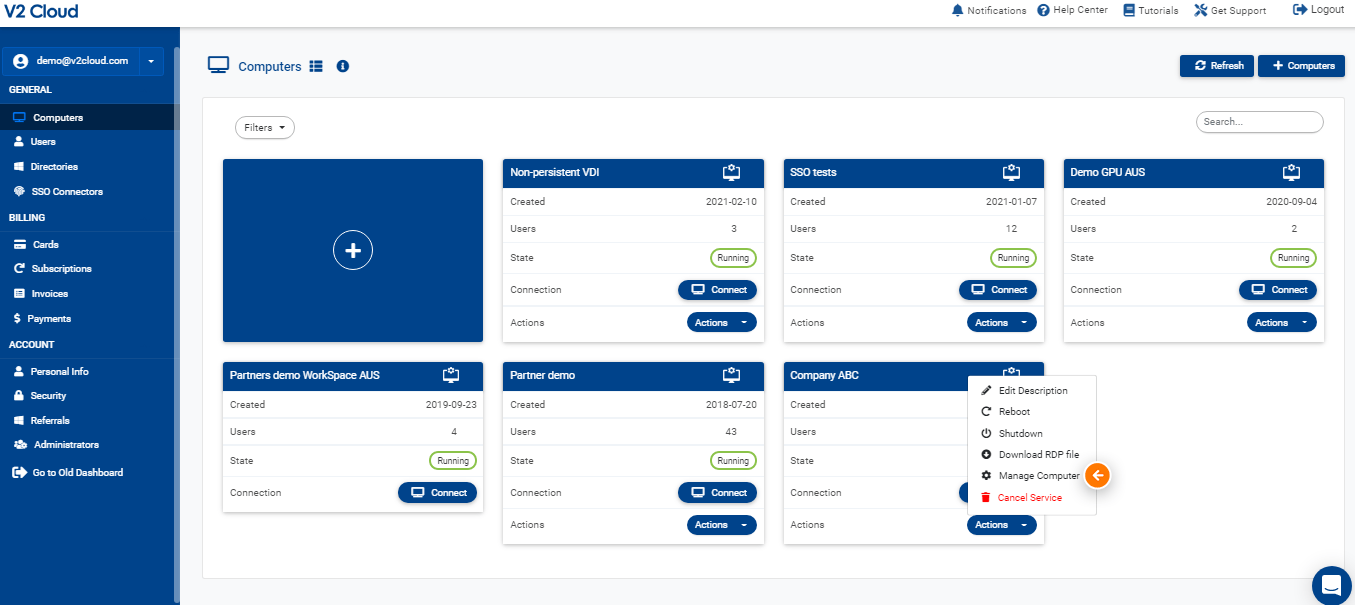
To forward a port to your Cloud Computer, click Actions — Manage computer from your Cloud dashboard.
STEP 2
Go to the Networking tab and click Add new port forward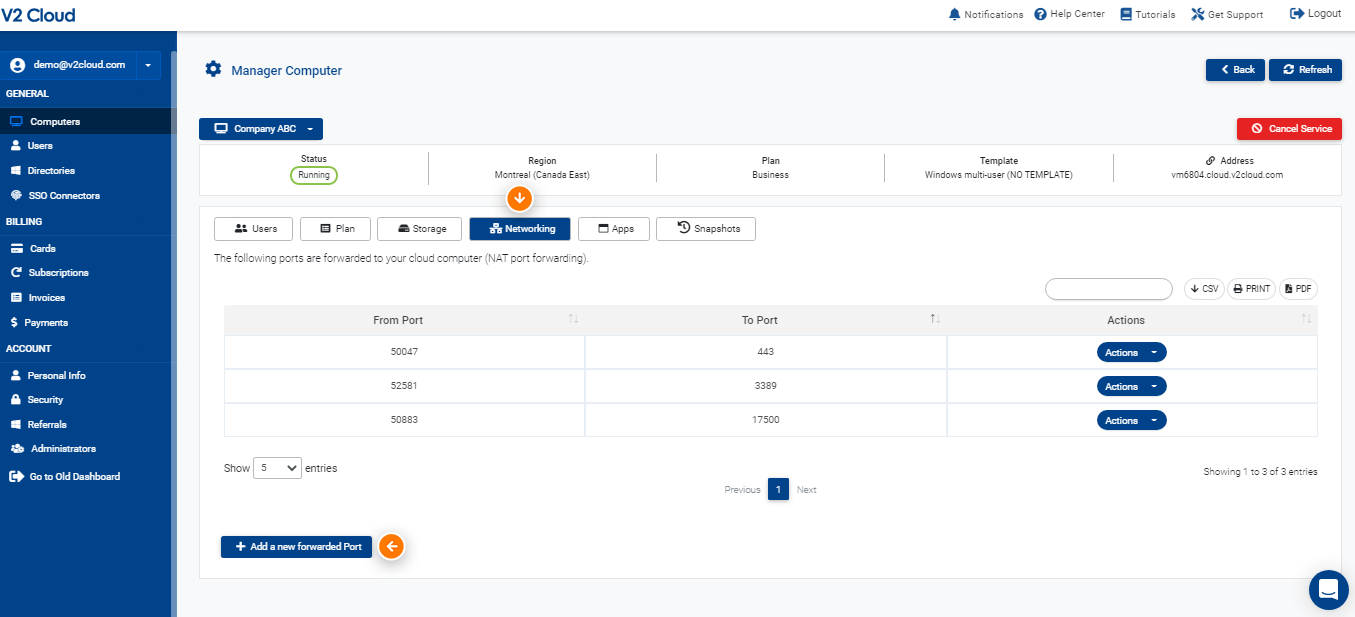
STEP 3
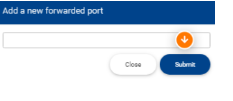
Enter the public port you want to forward and click Submit
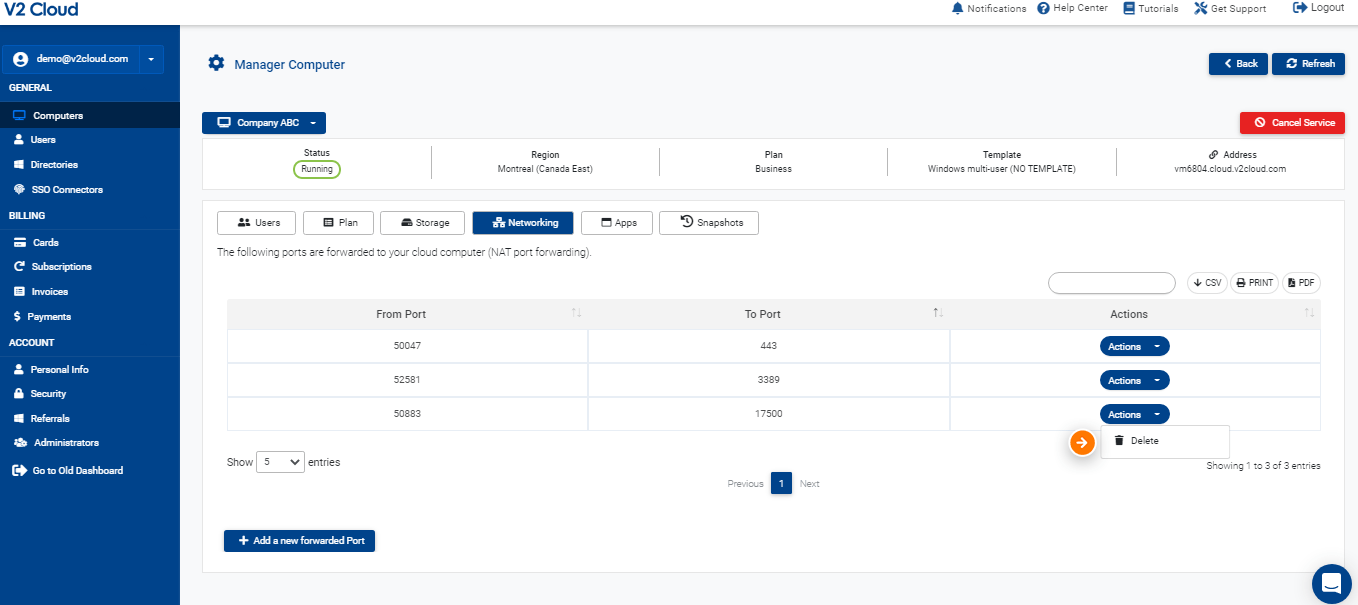
A random public port will be generated and forwarded to the Cloud Computer. You can remove the port forward by clicking Actions — Delete
Keywords: Port Forwarding