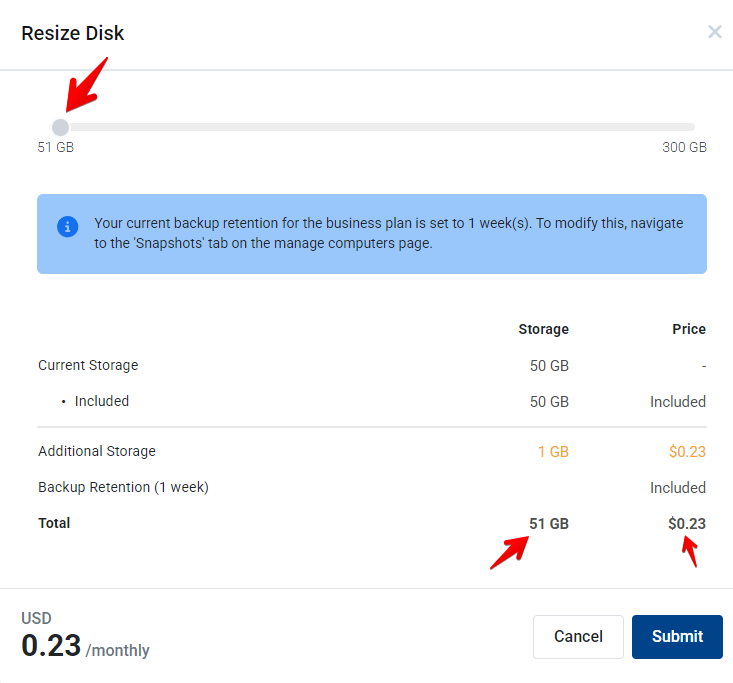
Before upgrading please note, you can not downgrade storage once it has been added to the main drive.
Please note if you require an upgrade above 300GB you will need to contact support for assistance.
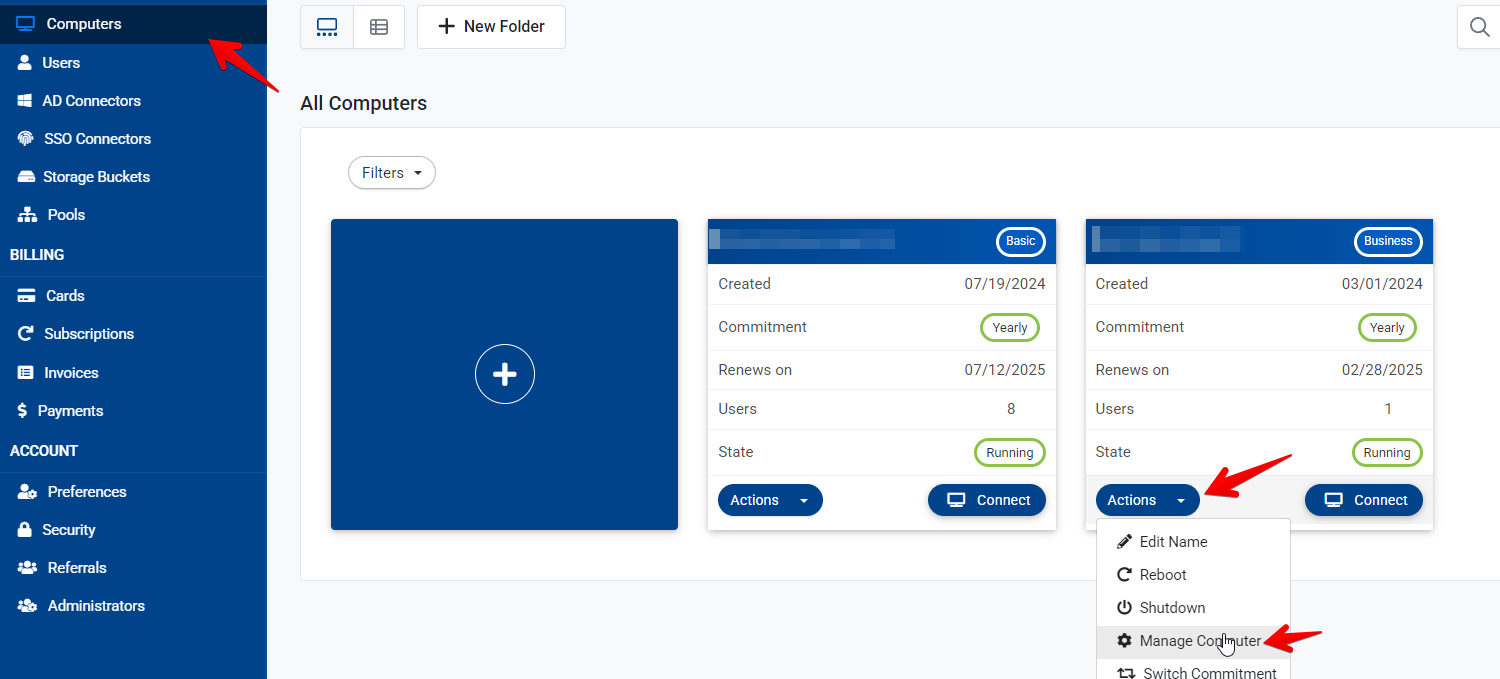
- Go to computers and select the computer you would like to upgrade, select actions and manage computer
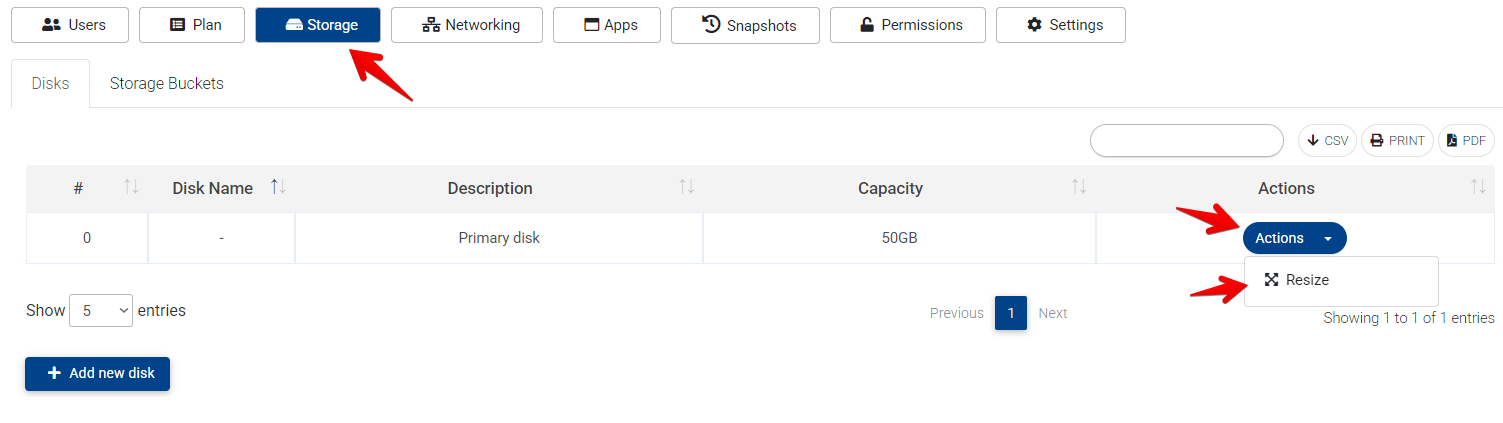
- Go to storage>actions>resize.
- Use the slider to increase storage to the required amount, you can see your total at the bottom right and the price.