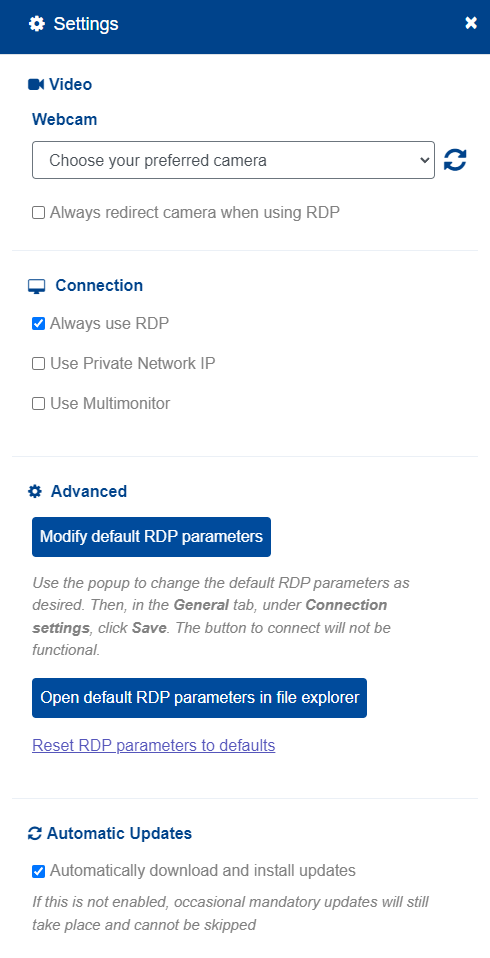
- Open the v2cloud application and head to the settings options bottom left.
- Once open, at the bottom of the settings page there will be an option to disable automatic updates
Tags: V2 auto updates, v2 app auto updates, v2cloud application updates

Tags: V2 auto updates, v2 app auto updates, v2cloud application updates