
Before deleting, note that all data will be removed of the user, this is irreversible
- If you want to delete a user and have admin privileges, head to dash.v2cloud.com.
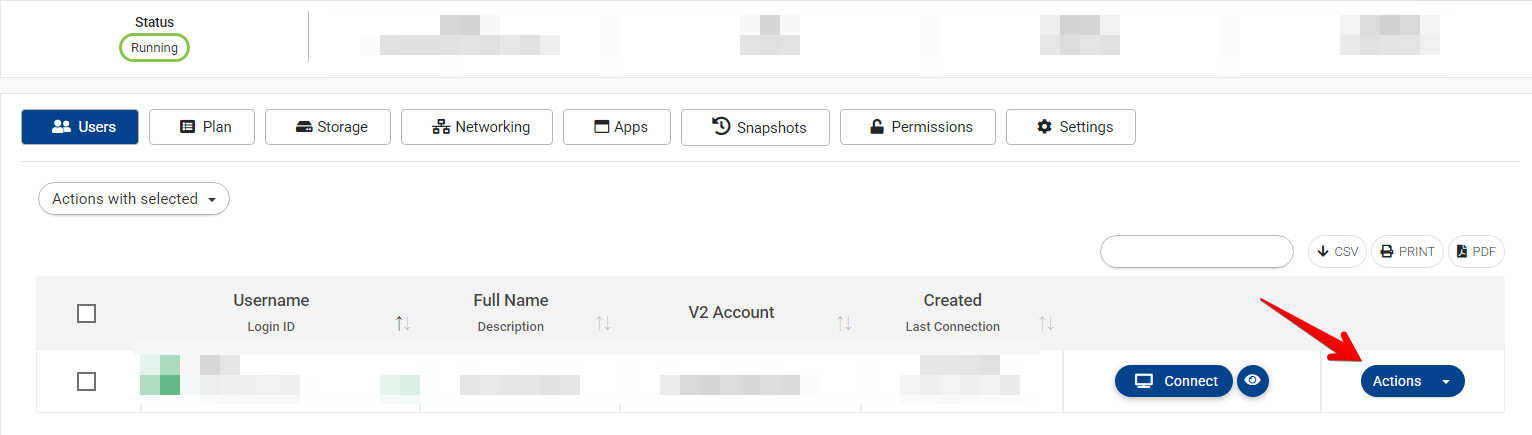
- Click on the cloud computer where the user connects to, or click on actions>manage computer
- Once there, click on actions
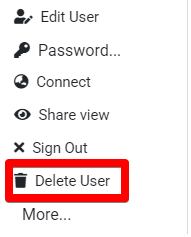
- Then click on Delete user
Keywords: Delete user.