
- The following guide will show you how to allow/deny permissions to Users for specific folders.
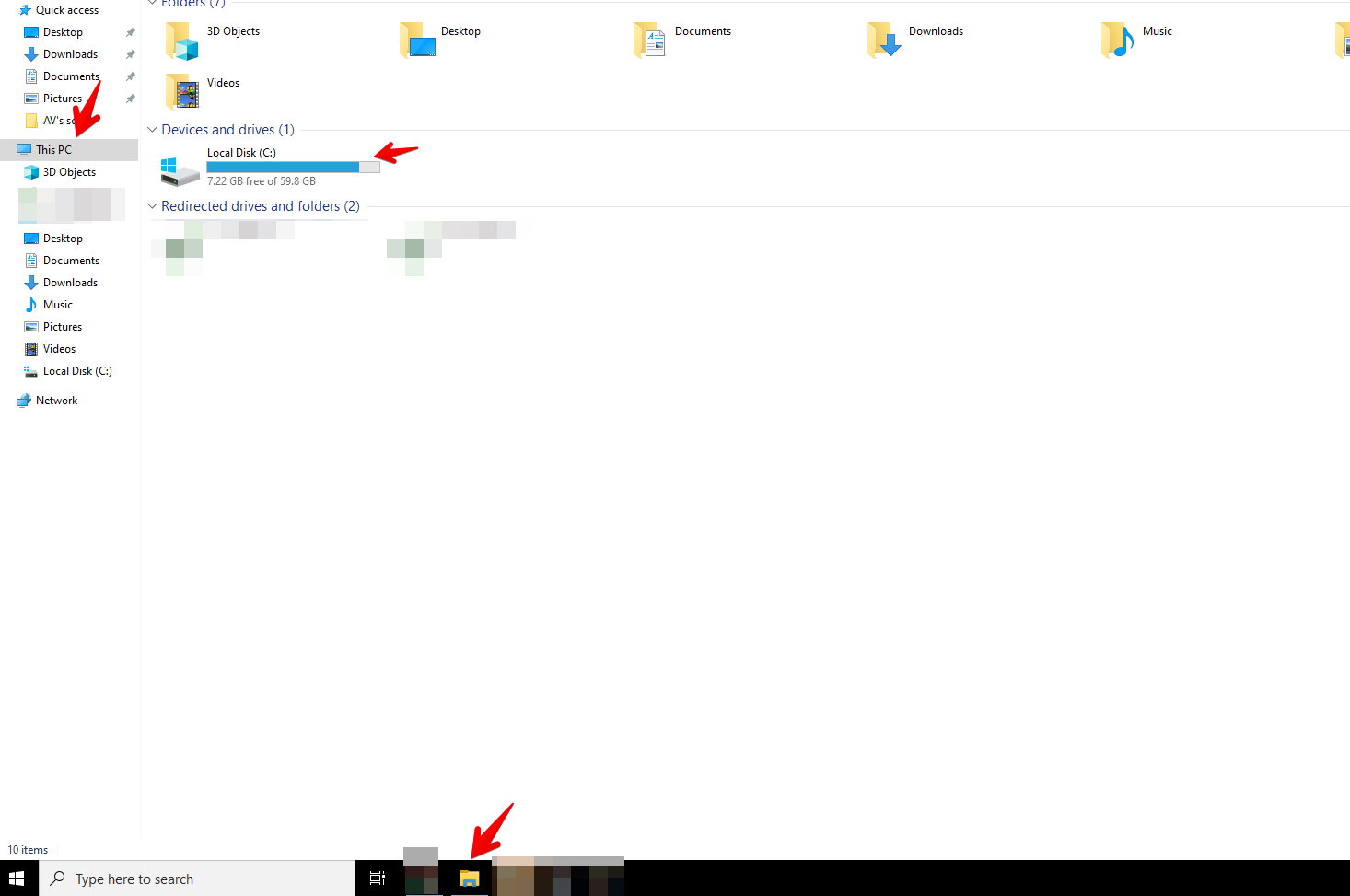
- Firs you will need to find the folder you would want to allow/deny
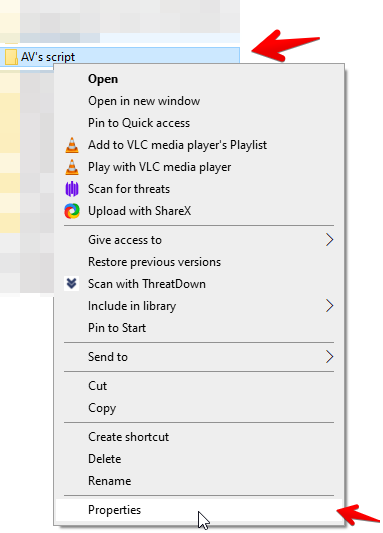
- Then right click on the folder, and select properties
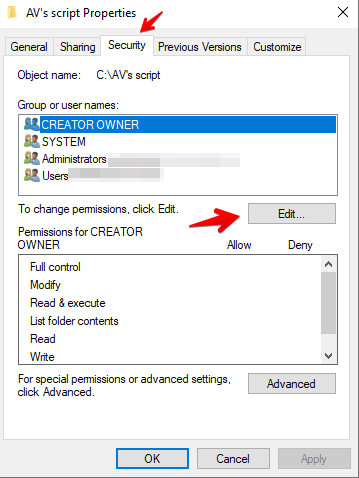
- Then select the security option and select edit
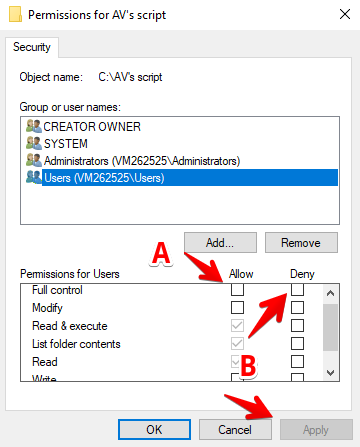
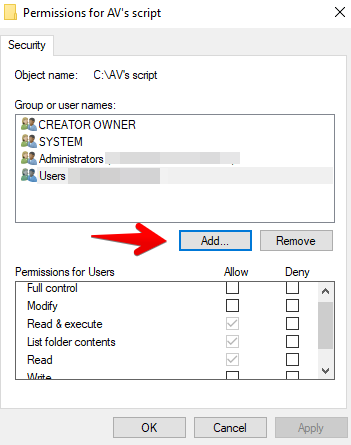
- Now if the user is already on the security group you can select their user.If you want to allow permissions you can select allow (A) or if you want to deny the user permissions you can select Deny (B), afterwards click apply.
- If the user is not on the list you can click on add
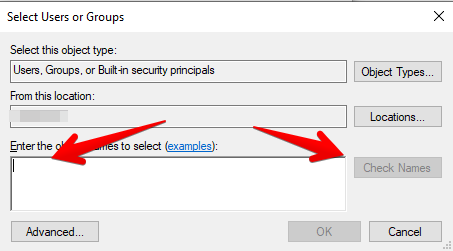
- Type in the users name in this box and select check names, then select OK.
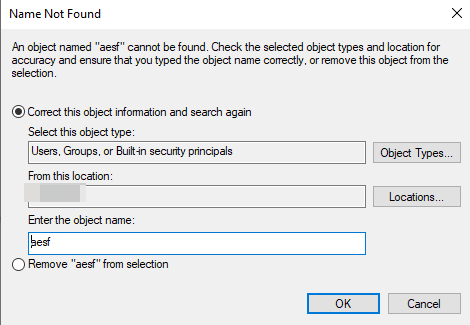
- If you get the following error the username is incorrect
- Once the user has been added you can go back to step 5 and 6 to apply the required permissions.
Keywords: restrictions, limited access