
You can get a dedicated IP for your cloud computer from your V2 Cloud Dashboard (https://dash.v2cloud.com/cloud/ )
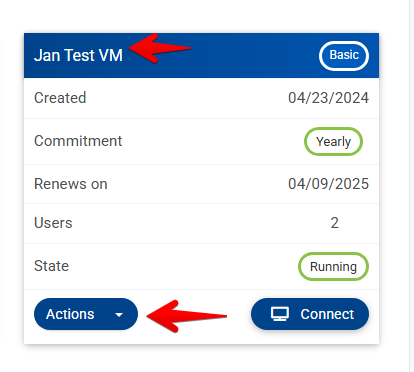
- Select the cloud computer you want to give a dedicated IP by left clicking on the name or select Actions > Manage Computer
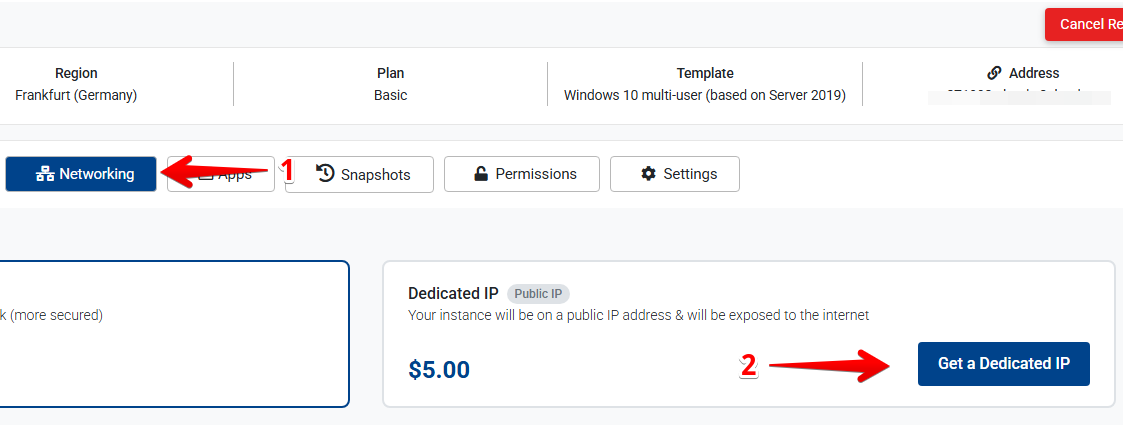
- Select the “Networking” tab and click on the “Get a Dedicated IP” button.
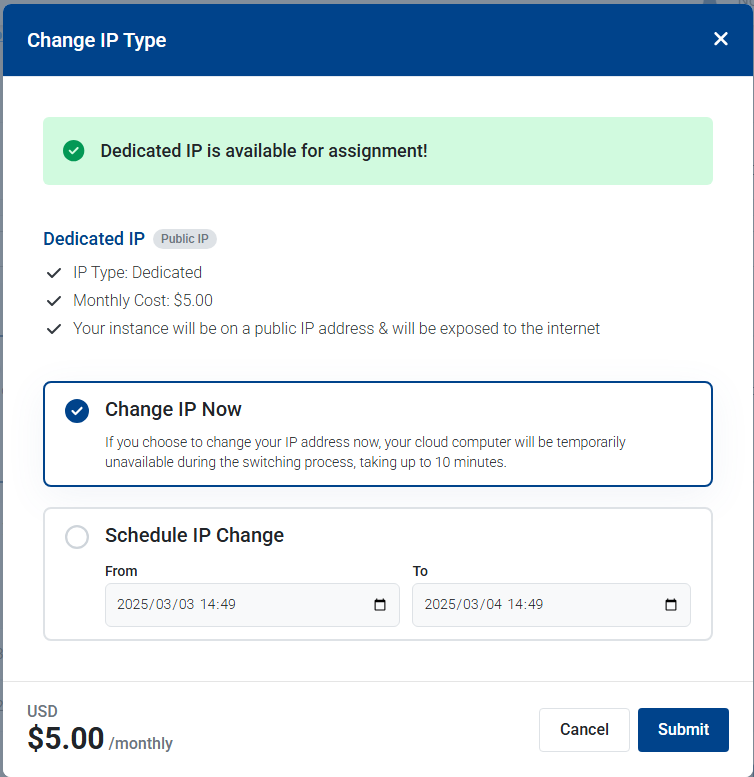
- You will then get the option to change your IP immediately or schedule it for a more convenient time and our support agents will take care of it for you.
Keywords: Dedicated IP, Static IP.