
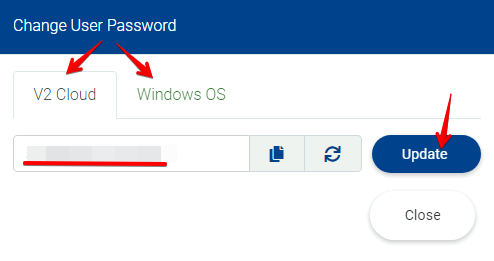
The Administrators and users with Admin permissions on the V2 Dashboard can change the V2 and OS passwords for the users.
These passwords are requested to connect using a 3rd party RDP app and for when you are modifying or installing something on the computer that will affect all of the other users as well.
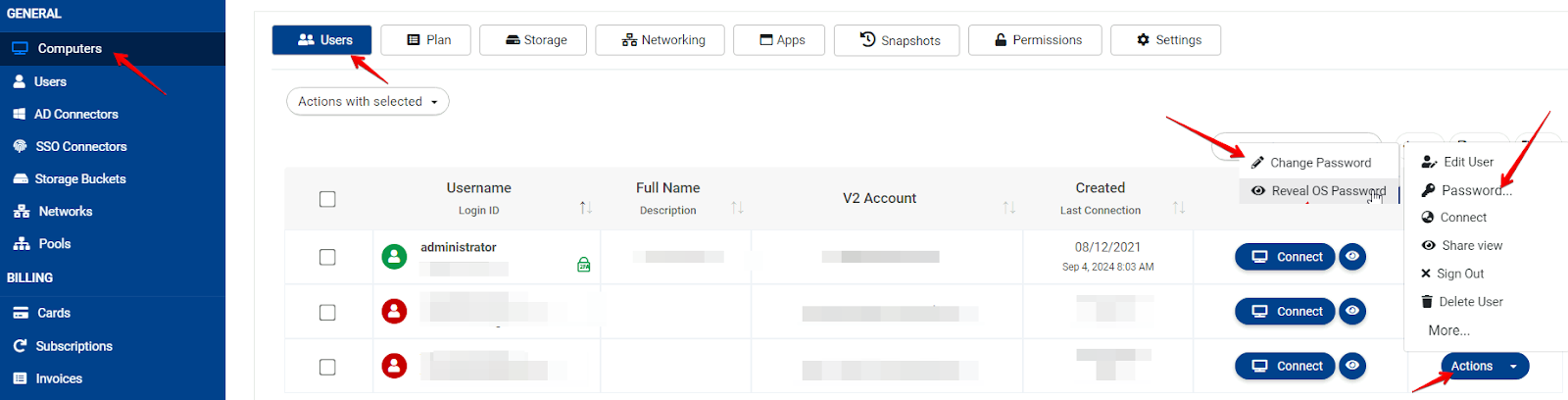
On the V2 Dashboard under the Computers > Users tab, click Action > Password > Change Password on a certain user. Password complexity requirements:
Minimum 14 characters, maximum 128 characters, at least one (1) uppercase letter, one (1) lowercase letter, and one (1) number.
Also, the password shouldn't contain part of the e-mail, which is the login username in V2 Cloud.
Note: Always use the US keyboard layout when creating the password.
Sometimes some symbols are causing conflicts with the system so they need to be replaced.
Related to