
Always sync OS password is required for Mac users to use RDP
1. Log into dash.v2cloud.com as the admin
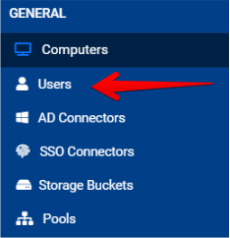
2. Head to the Users tab
3. Search for required user

4. Once user is found click on actions

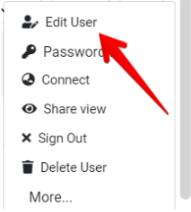
5. Click on edit user
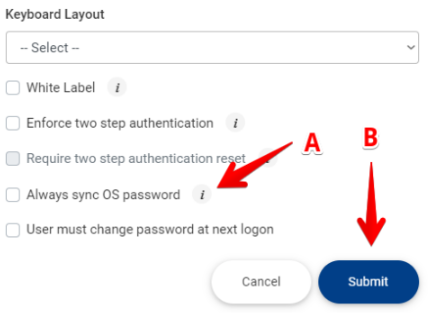
6. Click on Always sync OS password (A) then submit (B)
7. Once completed the user need to reset their v2cloud password
https://dash.v2cloud.com/reset
8. The user can login again and when prompted for password they can enter their
Mac OS password
Related to