
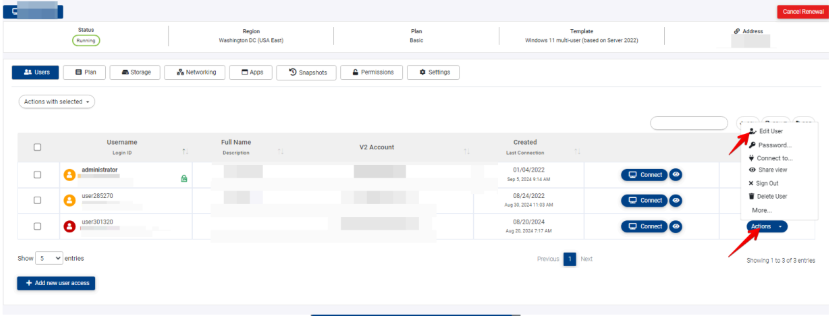
Under the dashboard, locate the computers tab at the left side and click on it. You'll get a list with your computer in the middle of the screen. Click "actions" on the computer you want to update.
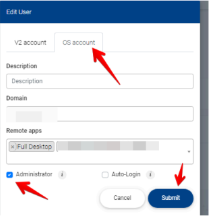
Navigate to the user that needs to have Administrator privileges under Windows, Click Action and Edit User, then OS account, check the Administrator and then Submit.
This permission affects only the cloud computer that you selected, the user won't get administrator permissions on the V2 dashboard.
Related to